Note
Access to this page requires authorization. You can try signing in or changing directories.
Access to this page requires authorization. You can try changing directories.
Sensitivity labels allow Engage community admins to protect and regulate access to sensitive organizational content offered within those communities. After you configure sensitivity labels with their associated policies in the Microsoft Purview portal, these labels can be applied to communities in your organization.
Sensitivity labels versus Classification settings
Sensitivity labeling differs from Microsoft Purview group classifications.
Classifications are text strings that you associate with a Microsoft 365 group, but classifications don't tie to Purview policies. Use classification as metadata combined with other methods such as internal tools and scripts to enforce policies. By itself, classification isn't enough to protect sensitive data in your organization.
Sensitivity labels automatically enforce their policies end-to-end through a combination of Microsoft 365 Groups, the Microsoft Purview portal, and Engage. Sensitivity labels provide powerful integration to secure your organization's sensitive data and ensure compliance with internal policies and regulations.
Note
If you currently use classification, see Classic Microsoft Entra group classification for more information about how to convert these values to sensitivity labels.
Example use cases for sensitivity labels
Engage is a public-first platform in many organizations. Sensitivity labels support this principle by allowing you to set a default label for Engage communities that differs from the default label for SharePoint sites. Create a more permissive default for Engage communities, while maintaining a more restrictive default for sites.
Labels to support public-first Engage communities
As an example, select a preferred default label for Engage communities in Microsoft Purview as part of label policy settings. This new default takes precedence over the default label for sites. For example, you might have a General sensitivity label with its label privacy set to Public, and a second Confidential sensitivity label with a label privacy configured as Private.
- Users that create new SharePoint sites see the sensitivity drop-down prepopulated with the Confidential label (privacy setting of Private).
- New Engage communities prepopulate with the General label (privacy setting of Public).
You choose the General label as the Engage default label and the Confidential label as the default for the SharePoint site.
Control guest access to Engage communities
Use sensitivity labels to control guest access to your communities. Communities created with a label that doesn’t allow guest access are only available to users in your organization. People outside your organization can’t be added to the community.
Select sensitivity labels for Engage communities
Community admins can change the sensitivity label (and hence its privacy setting) of a community. Take the following steps to change the sensitivity label for an Engage community:
Open the community, select the More menu
(...), and choose Settings.
For a community that doesn't have a high level of sensitivity, choose the General label as your Engage default label and the Public label as your site default. (Depending on how the policies are configured, other choices might be available for each of the two dropdowns.)
After the community is live, the sensitivity label appears to users in the community banner:
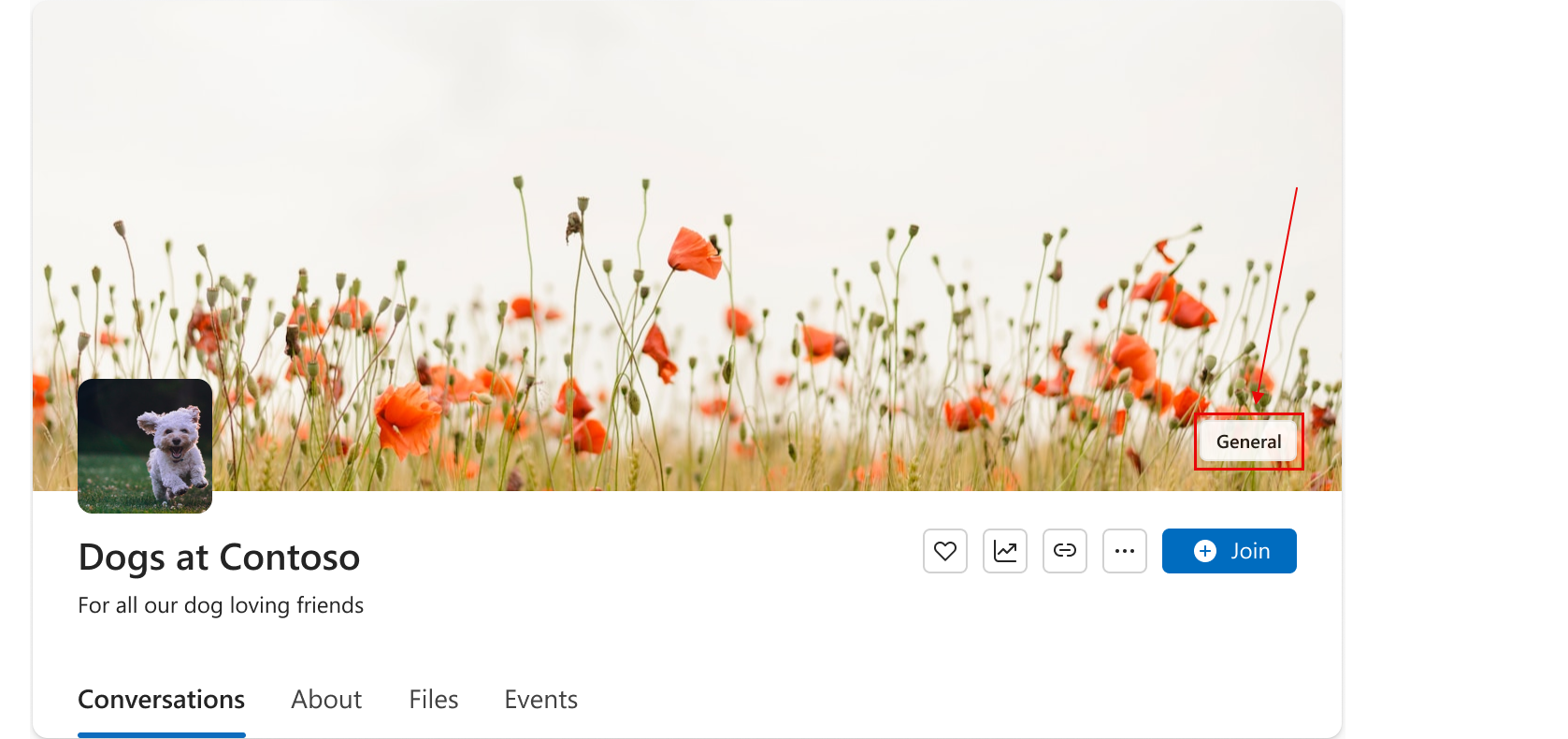
Admins can set up sensitivity labels to automatically apply during community creation. When a user creates a new community, the default sensitivity label automatically applies to the community. The user can select a different label from the list of available labels, but they can't create new labels.
Limitations
New sensitivity labels and new policies require changes to organization-wide IT governance. If you want to define more-private sensitivity settings for your Engage communities, contact your tenant administrator. Tenant and network admins create and publish sensitivity labels in the Microsoft Purview portal.
Before you use sensitivity labels for Engage, PowerShell cmdlets don't directly support sensitivity labels. Users can't directly specify sensitivity labels for Engage communities. As a workaround, you can use PowerShell to apply labels to a SharePoint site that connects to an existing Engage community. Doing so causes the label on the Engage community to correspondingly update.
See also
For information about creating and configuring sensitivity labels, consult Use sensitivity labels to protect collaborative workspaces (groups and sites).