Note
Access to this page requires authorization. You can try signing in or changing directories.
Access to this page requires authorization. You can try changing directories.
To verify that enterprise AI app data is ingested into Data Security Posture Management (DSPM) for AI and that AI activity details and analytics display correctly, complete the following verifications.
DSPM for AI - Activity Explorer
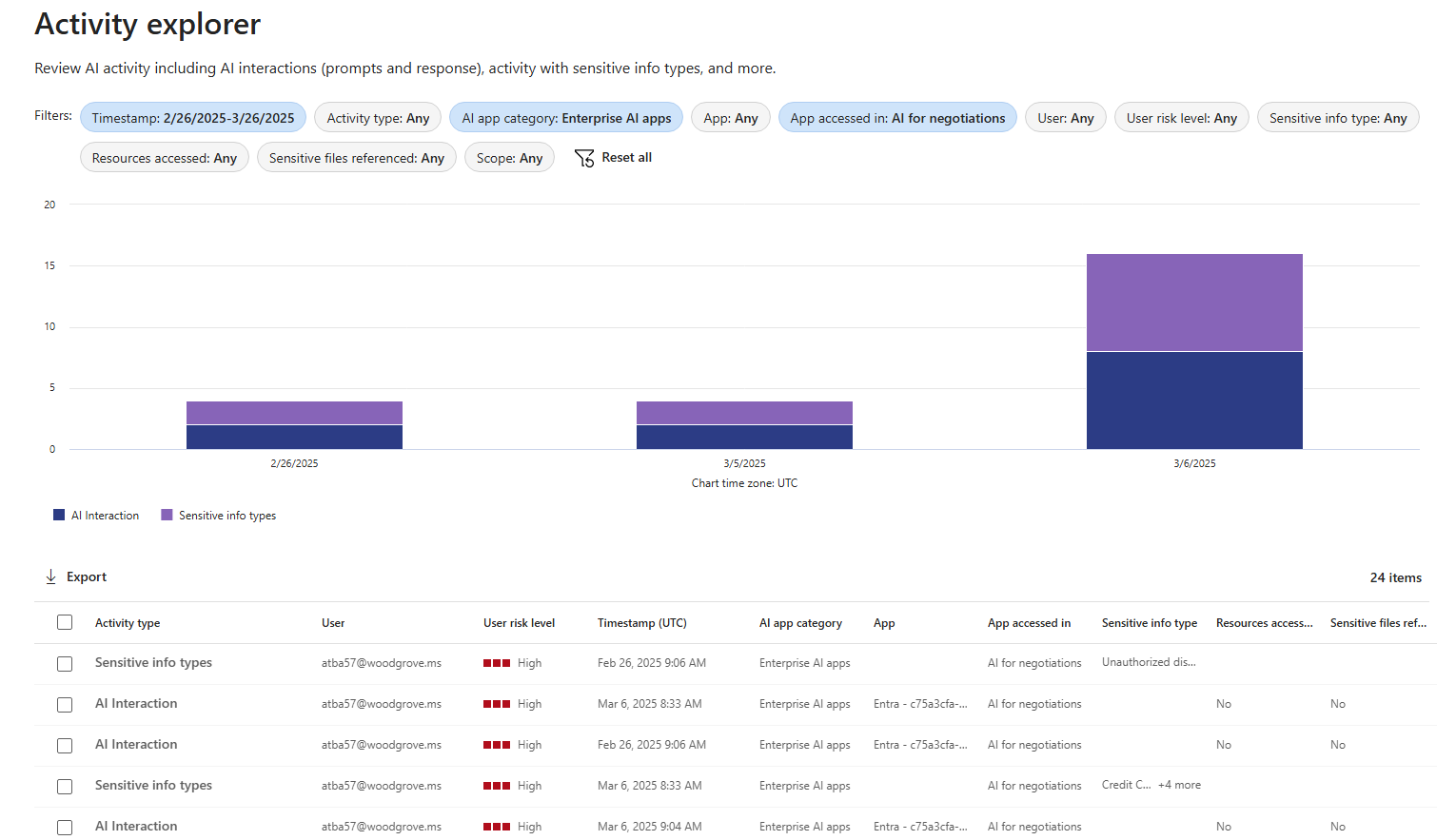
Select Activity explorer to see details of the data collected from your policies. This more detailed information includes activity type and user, date and time, AI app category and app Name, app accessed in, any sensitive information types, files referenced, and sensitive files referenced.
Examples of activities include AI interaction, Sensitive info types, and AI website visit. AI Apps' prompts and responses are included in the AI interaction events when you have the right permissions.
Activity Explorer workloads include Microsoft Copilot Experiences, Enterprise AI apps and Other AI Apps. Examples of an App Category and App Accessed in for Enterprise AI Apps include Enterprise AI Apps and your App Name passed in the Microsoft Purview API.
To see AI Interactions from your generative AI app, select the above filters for Enterprise AI Apps App category. You can select an AI Interaction from the activity Explorer to drill into the AI Activity details and Prompt/Response text.
DSPM for AI - Reports
Use the Reports section or the Reports page from the navigation pane to view the results of the default policies created. You need to wait at least a day for the reports to be populated. Select the category Enterprise AI apps to see metrics for genAI apps using the Microsoft Purview API.
After you enable the DSPM for AI policies, allow roughly 24 hours for metrics to populate. The following analytics are available by default in DSPM for AI.
Total interactions over time (Enterprise AI Apps)
Chart displaying AI Activity over the last 30 days for Enterprise AI Apps.

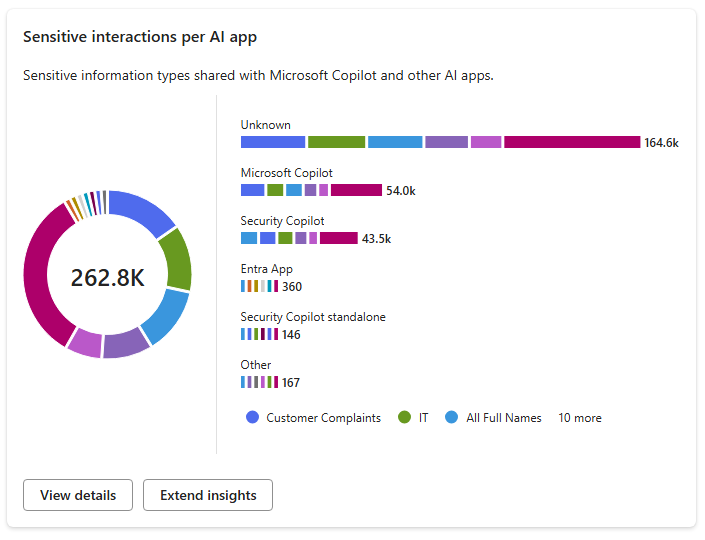
Sensitive interactions per AI App
Chart displaying Sensitive information types detected by DSPM for AI for all AI Apps.
Top unethical AI interactions
Chart displaying Unethical AI interactions detected by the Purview Communication Compliance solution policy enabled in DSPM for AI.

User - Insider Risk
Charts displaying Insider Risk Severity per user & per AI Apps and detects Potential Risky AI Usage for Enterprise AI Apps. This is enabled by the Purview Insider Risk Management Solution Policy in DSPM for AI.
