Note
Access to this page requires authorization. You can try signing in or changing directories.
Access to this page requires authorization. You can try changing directories.
Azure DevOps Services
Microsoft-hosted agents are only available with Azure DevOps Services, which is hosted in the cloud. You can't use Microsoft-hosted agents or the Azure Pipelines agent pool with on-premises Azure DevOps Server. With these on-premises versions, you must use self-hosted agents.
Important
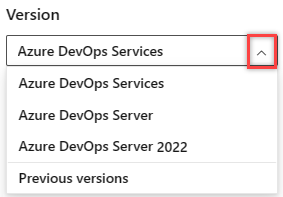
Select the version of this article that corresponds to your platform and version. The version selector is above the table of contents. Look up your Azure DevOps platform and version.
The Azure Pipelines team supports (at maximum) 2 GA hosted images and 1 hosted beta image at a time. We begin the deprecation process of the oldest image label once the newest OS image label has been released to GA. This article provides the deprecation schedule for the oldest hosted images to allow time for planning and migration to the newer images.
For more information on the software lifecycle and deprecation schedule of images and software, see GitHub Actions Runner Images - Software and Image Support.
Deprecation schedules
| Hosted agent image OS | Scheduled deprecation |
|---|---|
| macOS | macOS 14 Sonoma hosted image deprecation schedule |
| Windows | No Windows hosted agent images are currently scheduled for deprecation. |
| Linux | No Linux hosted agent images are currently scheduled for deprecation. |
macOS 14 Sonoma hosted image deprecation schedule
The macOS 14 Sonoma hosted image deprecation affects Azure DevOps customers using the macOS 14 Sonoma agent image in their Microsoft-hosted pipelines. This deprecation doesn't impact customers using macOS 14 Sonoma agents in self-hosted agents.
The macOS 14 Sonoma image deprecation schedule:
- Deprecation start date: July 6, 2026.
- Brownout schedule: October 5, 2026 to October 31, 2026.
- Scheduled removal date: November 2, 2026.
Brownout schedule
To raise awareness of the upcoming removal, we will temporarily fail jobs using the macOS 14 Sonoma hosted image. Builds that are scheduled to run during the brownout periods will fail. The brownouts are scheduled for the following dates and times:
- October 5, 14:00 UTC - October 6, 00:00 UTC
- October 12, 14:00 UTC - October 13, 00:00 UTC
- October 16, 14:00 UTC - October 17, 00:00 UTC
- October 19, 14:00 UTC - October 20, 00:00 UTC
- October 23, 14:00 UTC - October 24, 00:00 UTC
- October 26, 14:00 UTC - October 27, 00:00 UTC
- October 29, 14:00 UTC - October 30, 00:00 UTC
- October 30, 14:00 UTC - October 31, 00:00 UTC
Recommended action
Pipelines using the macOS 14 Sonoma hosted image should be updated to macos-latest or macos-15 prior to the scheduled removal date to avoid disruptions.
To identify your pipelines that are using the macOS 14 Sonoma hosted image, follow the instructions in the How to identify pipelines using a deprecated hosted image section.
To update your affected YAML pipelines to a new image, see Update YAML pipelines to use a new image. To update your affected classic pipelines, see Update classic pipelines to use a new image.
How to identify pipelines using a deprecated hosted image
To identify pipelines that are using a deprecated image, browse to the following location in your organization: https://dev.azure.com/{organization}/{project}/_settings/agentqueues, and filter on the image name to check. The following example checks the macos-13 image.

You can also query job history for deprecated images across projects using the script located here, as shown in the following example.
./QueryJobHistoryForRetiredImages.ps1 -accountUrl https://dev.azure.com/{org} -pat {pat}
Update YAML pipelines to use a new image
To update your YAML pipelines to use a new image:
Locate the
vmImageproperty.Change the value from the old image to the new image. For example, to replace an older version of a Linux agent with the latest version, change:
pool:
  vmImage: 'ubuntu-20.04'
to:
pool:
  vmImage: 'ubuntu-latest'
Save and run your pipeline to validate the changes.
To see the versions of the software that are installed on each hosted image, see Microsoft-hosted agents: Software, and click the Included software link for the specific image.
Update classic pipelines to use a new image
To update classic pipelines:
- Navigate to the pipeline settings in the Azure DevOps portal.
- Locate the agent specification and update the Agent Specification to the newer version.
- Save and queue a new run to verify the update.
To see the versions of the software that are installed on each hosted image, see Microsoft-hosted agents: Software, and click the Included software link for the specific image.
Alternative methods to use a deprecated image
If you still need to use an image scheduled to be deprecated after its deprecation, consider the following alternatives:
- Use a container job to specify the container independently of the hosted image. In the following example, an Ubuntu 20.04 container that's hosted on the
ubuntu-latestimage is used to run the pipeline.
  jobs:
  - job: ubuntu20
    container: ubuntu:20.04
    displayName: Use Ubuntu 20.04 container image
    pool:
      vmImage: 'ubuntu-latest'
    steps:
    - script: printenv
FAQ
- How to know if my Azure DevOps organization or pipelines are impacted?
- I'm using an image scheduled to be deprecated in self-hosted agents. Is my pipeline impacted?
- I'm using an image scheduled to be deprecated in Managed DevOps Pools. Is my pipeline impacted?
- I'm using an image scheduled to be deprecated in classic pipeline. Is my pipeline impacted?
- I'm using a container image with an image scheduled to be deprecated. Is my pipeline impacted?
How to know if my Azure DevOps organization or pipelines are impacted?
Use the detection script or check the agent queues as described in How to identify pipelines using a deprecated hosted image.
I'm using an image scheduled to be deprecated in self-hosted agents. Is my pipeline impacted?
No, only Microsoft Hosted images are impacted.
I'm using an image scheduled to be deprecated in Managed DevOps Pools. Is my pipeline impacted?
Managed DevOps Pools does offer Azure Pipelines images, but they aren't directly impacted by the Microsoft-hosted image deprecations. Managed DevOps Pools images have their own lifecycle and deprecation schedule. For more information, see Azure Pipelines images: Image lifecycle.
I'm using an image scheduled to be deprecated in classic pipeline. Is my pipeline impacted?
Yes, if your classic pipeline is using a Microsoft-hosted image that is scheduled for deprecation, it's impacted.
I'm using a container image with an image scheduled to be deprecated. Is my pipeline impacted?
No, container images aren't impacted by the hosted image deprecation.