Note
Access to this page requires authorization. You can try signing in or changing directories.
Access to this page requires authorization. You can try changing directories.
Azure DevOps Services | Azure DevOps Server | Azure DevOps Server 2022
Extensions add capabilities to the Azure DevOps UI and REST surface. This article lists the most common extensibility points you can target and shows the IDs you use in your extension manifest. For the full manifest schema, see the Extension manifest reference. For an overview of the extension model and contribution patterns, see the Contribution model.
Tip
If you're starting a new Azure DevOps extension, try these maintained sample collections first—they work with current product builds and cover modern scenarios (for example, adding tabs on pull request pages).
- Azure DevOps extension sample (GitHub)—a compact starter sample that demonstrates common extension patterns: https://github.com/microsoft/azure-devops-extension-sample
- Azure DevOps extension samples (legacy collection and contributions guide)—install to inspect UI targets, or view the source: https://marketplace.visualstudio.com/items/ms-samples.samples-contributions-guide and https://github.com/Microsoft/vso-extension-samples/tree/master/contributions-guide
- Microsoft Learn samples (browse Azure DevOps samples)—curated, up-to-date samples across Microsoft docs: /samples/browse/?terms=azure%20devops%20extension
If a sample doesn't work in your organization, install it into a personal or test organization and compare the extension manifest's target IDs and API versions with the current docs. For reference and APIs, see:
Hubs and hub groups
Hubs and hub groups provide primary navigation in Azure DevOps (for example, Files, Releases, Backlogs, Queries). A hub belongs to a hub group; for example, the Files hub belongs to the project-level Azure Repos hub group. Hub groups can exist at the organization/collection level or at the project level. Most extensions contribute at the project level.
The following table lists common hub groups and their contribution IDs.
| Name | ID | Level | Preview image |
|---|---|---|---|
| Azure Boards | ms.vss-work-web.work-hub-group |
Project/team |

|
| Azure Repos | ms.vss-code-web.code-hub-group |
Project/team |

|
| Azure Pipelines | ms.vss-build-web.build-release-hub-group |
Project/team |

|
| Azure Test Plans | ms.vss-test-web.test-hub-group |
Project/team |

|
| Project settings | ms.vss-web.project-admin-hub-group |
Project |

|
| Organization settings | ms.vss-web.collection-admin-hub-group |
Organization/collection |

|
Contribute a hub
This example shows a hub contribution that targets the Code hub group:
{
  "contributions": [
    {
      "id": "my-custom-hub",
      "type": "ms.vss-web.hub",
      "targets": [
        "ms.vss-code-web.code-hub-group"
      ],
      "properties": {
        "name": "Code Hub",
        "order": 30,
        "uri": "/views/code/custom.html"
      }
    }
  ]
}
ms.vss-web.hub— the contribution type. Thevss-webextension published bymsdefines this type and its required and optional properties, such asnameandorder.ms.vss-code-web.code-hub-group— the full ID of the hub group this hub targets.my-custom-hub— the short ID of this contribution. The full ID is{publisherId}.{extensionId}.my-custom-hub.
The following table lists the properties available for ms.vss-web.hub contributions:
| Property | Type | Required | Description |
|---|---|---|---|
name |
string | Yes | Display name shown in the hub navigation |
order |
number | No | Position relative to other hubs (lower values appear first) |
uri |
string | Yes | Relative path to the hub's HTML content page |
icon |
string | No | Custom icon using an asset:// path |
iconName |
string | No | Fluent UI icon name |
supportsMobile |
boolean | No | Whether the hub appears on mobile devices |
Tip
If your contribution doesn't appear, verify the target ID matches exactly — IDs are case-sensitive. Reload the extension in your browser and check the developer tools console for extension loading errors.
Add an icon to a menu or toolbar
Use the icon or iconName property in your contribution to display an icon. Provide your own icon when possible.
Custom icon:
"properties": {
    "name": "Sample hub",
    "uri": "dist/Hub/Hub.html",
    "icon": "asset://static/sample-icon.png",
    "supportsMobile": true
}
"properties": {
    "iconName": "Code",
    "name": "Code Hub",
    "order": 30,
    "uri": "/views/code/custom.html"
}
Note
The icon and iconName properties work for hubs, menus, and toolbars only. They don't work for tab contributions.
Settings for menus and toolbars
These targets apply to organization and project administration pages, not to service-specific hubs like Azure Boards or Azure Repos.
| Name | Target ID |
|---|---|
| Organization/collection overview toolbar | ms.vss-admin-web.collection-overview-toolbar-menu |
| Collection overview projects grid | ms.vss-admin-web.projects-grid-menu |
| Project overview toolbar | ms.vss-admin-web.project-overview-toolbar-menu |
| Project overview teams grid | ms.vss-admin-web.teams-grid-menu |
Azure Boards menu and toolbar
| Name | Target ID | Preview image |
|---|---|---|
| Work item query menu | ms.vss-work-web.work-item-query-menu |

|
| Work item query results toolbar menu | ms.vss-work-web.work-item-query-results-toolbar-menu |

|
| Work item query results menu item | ms.vss-work-web.query-result-work-item-menu |

|
| Work item query results tab | ms.vss-work-web.query-tabs |

|
| Work item for context menu | ms.vss-work-web.work-item-toolbar-menu |

|
| Backlog item menu | ms.vss-work-web.backlog-item-menu |

|
| Sprint board pivot filter menu | ms.vss-work-web.sprint-board-pivot-filter-menu |

|
| Board pivot filter menu | ms.vss-work-web.backlog-board-pivot-filter-menu |

|
| Card menu | ms.vss-work-web.backlog-board-card-item-menu |
|
| Product backlog tab | ms.vss-work-web.product-backlog-tabs |

|
| Iteration backlog tab | ms.vss-work-web.iteration-backlog-tabs |

|
| Portfolio backlog pane | ms.vss-work-web.portfolio-backlog-toolpane |

|
| Product backlog pane | ms.vss-work-web.requirement-backlog-toolpane |

|
| Iteration backlog pane | ms.vss-work-web.iteration-backlog-toolpane |

|
Azure Pipelines menu and toolbar
| Name | Target ID | Preview |
|---|---|---|
| Completed build menu | ms.vss-build-web.completed-build-menu |

|
| Test results toolbar action | ms.vss-test-web.test-results-actions-menu |

|
| Test result details tab | ms.vss-test-web.test-result-details-tab-items |

|
| Release pipeline explorer context menu | ms.vss-releaseManagement-web.release-definition-explorer-context-menu |

|
| Pipeline details view, header button | ms.vss-build-web.pipelines-header-menu |

|
| Pipeline details view, folder context menu | ms.vss-build-web.pipelines-folder-menu |

|
Azure Pipelines tasks
Tasks perform work in a build or release pipeline. For more information, see Add a custom pipelines task extension.
Azure Repos menu and toolbar
| Name | Target ID | Preview image |
|---|---|---|
| Source item (grid) menu | ms.vss-code-web.source-grid-item-menu |

|
| Source item (tree) menu | ms.vss-code-web.source-tree-item-menu |

|
| Source item (grid and tree) menu | ms.vss-code-web.source-item-menu |

|
| Change list item menu | ms.vss-code-web.change-list-item-menu |
|
| Change list summary item menu | ms.vss-code-web.change-list-summary-item-menu |
|
| Git branches tree menu | ms.vss-code-web.git-branches-tree-menu |

|
| Git pull request actions menu | ms.vss-code-web.pull-request-action-menu |
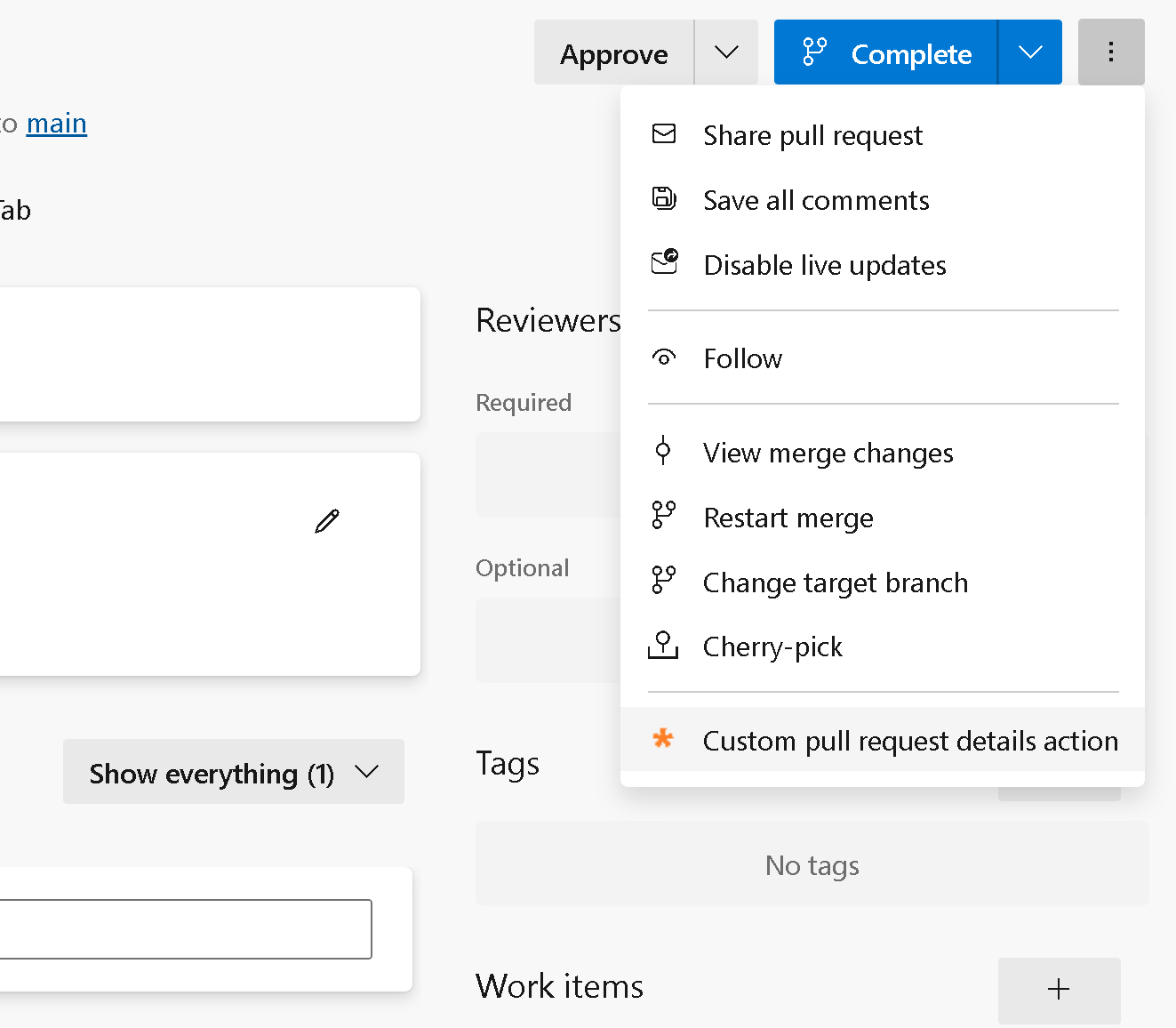
|
| Git pull request tabs (pivots) | ms.vss-code-web.pr-tabs |
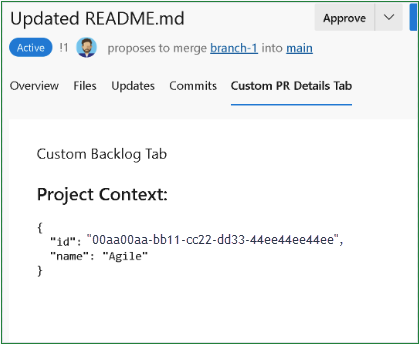
|
| Git commit listing menu | ms.vss-code-web.git-commit-list-menu |
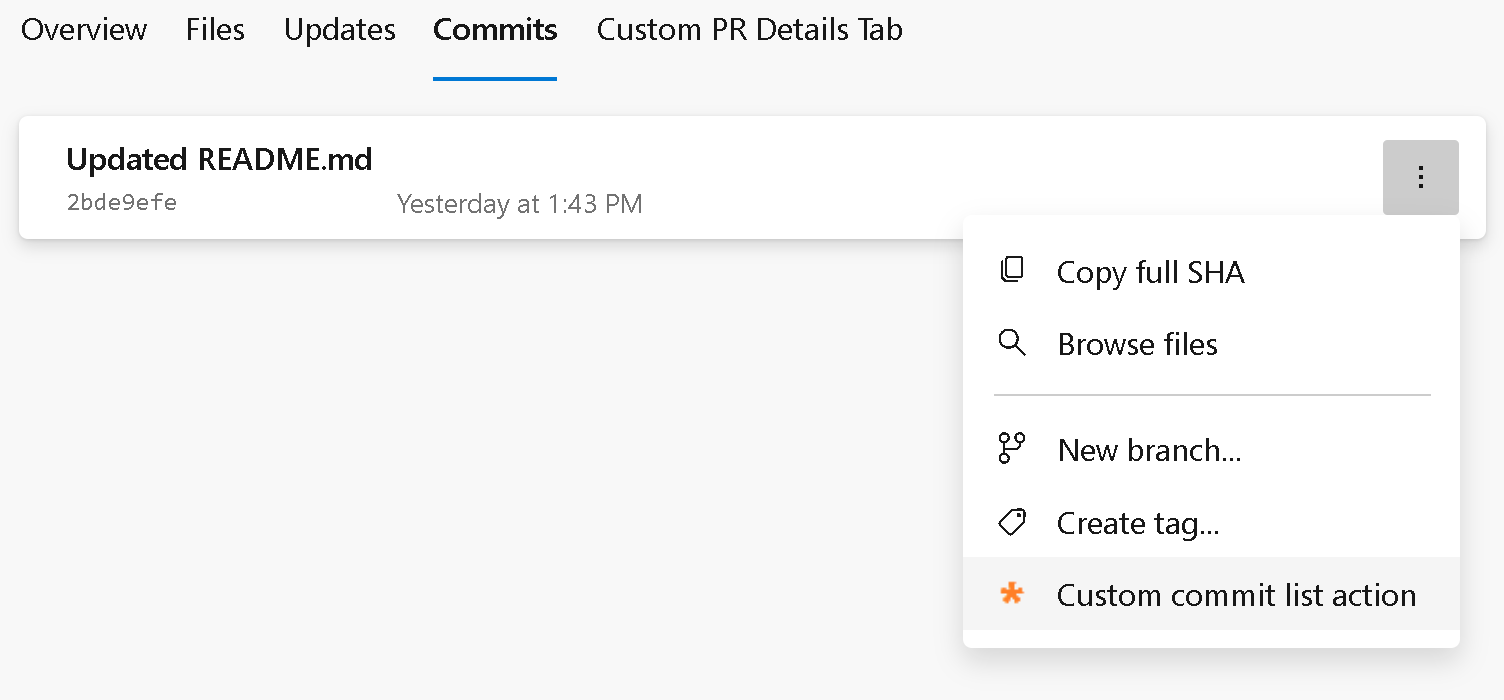
|
| Git commit detail menu | ms.vss-code-web.git-commit-details-menu |
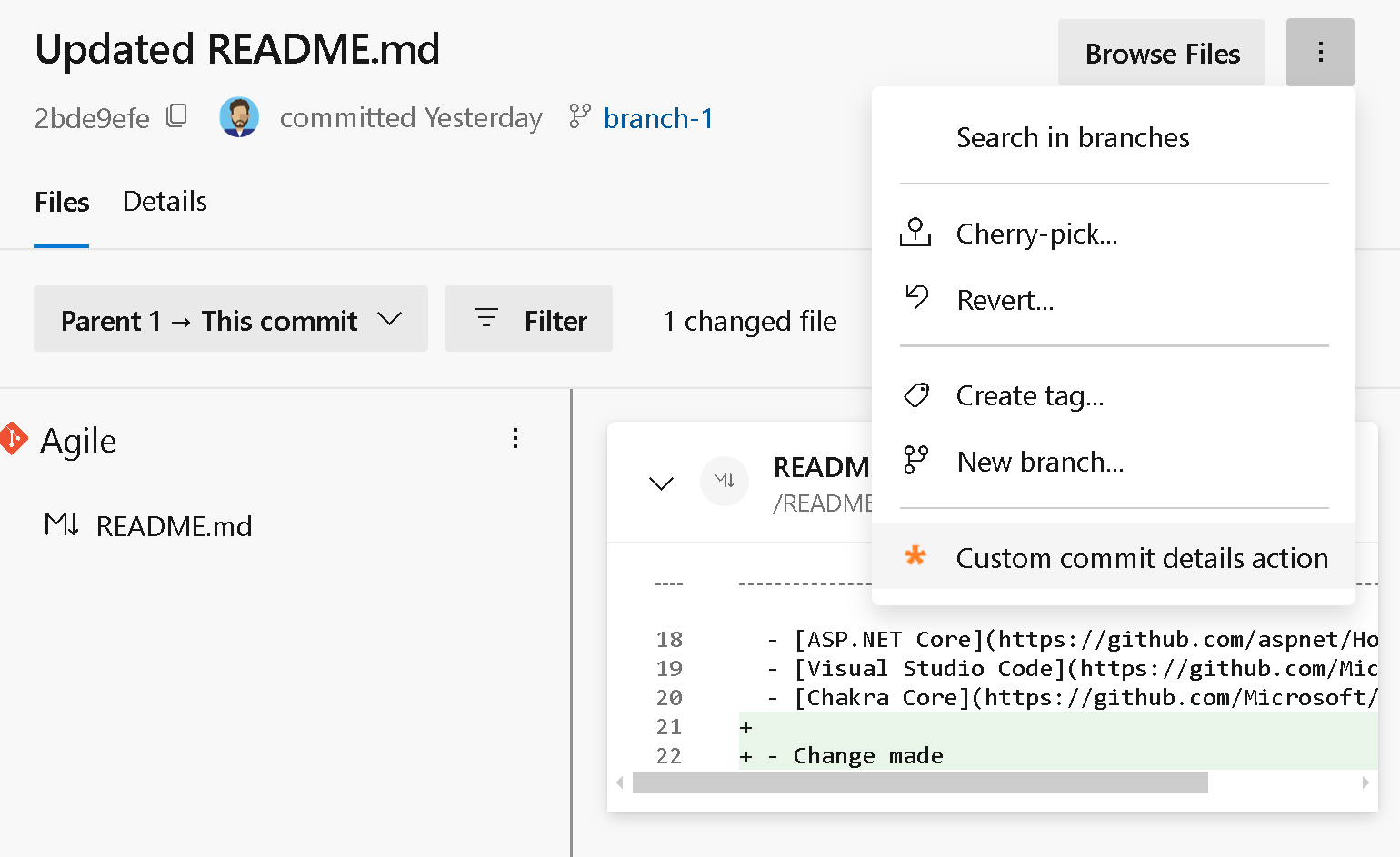
|
Azure Test Plans menu and toolbar
| Name | Target ID | Preview image |
|---|---|---|
| Test run grid menu | ms.vss-test-web.test-run-grid-menu |

|
| Test plan suites tree menu | ms.vss-test-web.test-plans-suites-context |

|
| Test plan hub pivot tab | ms.vss-test-web.test-plan-pivot-tabs |

|
Other extensibility points
- Dashboard widget — Contribute a new widget type that users can add to a dashboard. See Contribute a dashboard widget.
- Work item form — Add sections, tabs, actions, or custom field renderers to the work item form. See Extend the work item form.
- Service hooks consumer — Contribute a consumer service that receives events from Service Hooks. See Create a custom consumer for Service Hooks.