Microsoft 365 and Office | SharePoint | For business | Windows
A group of Microsoft Products and technologies used for sharing and managing content, knowledge, and applications.

This browser is no longer supported.
Upgrade to Microsoft Edge to take advantage of the latest features, security updates, and technical support.
' cx='32' cy='32' r='32' /%3E%3Ctext x='50%25' y='55%25' dominant-baseline='middle' text-anchor='middle' fill='%23FFF' %3EOK%3C/text%3E%3C/svg%3E)
Hello,
I am looking for solution on how to upload SharePoint document to a web page ie. to DYN365BC version 14 or to facebook. Document explorer in Edge doesnt allow to choose url of SharePoint library or link to a document.
Maybe it is in roadmap, but I couldnt find it.
Thanks
Tomas
A group of Microsoft Products and technologies used for sharing and managing content, knowledge, and applications.
Developing and testing features or extensions for Microsoft Edge

' cx='32' cy='32' r='32' /%3E%3Ctext x='50%25' y='55%25' dominant-baseline='middle' text-anchor='middle' fill='%23FFF' %3ERA%3C/text%3E%3C/svg%3E)
Did you observe this behavior in Internet Explorer?
Would you mind elaborate your issue in details?
' cx='32' cy='32' r='32' /%3E%3Ctext x='50%25' y='55%25' dominant-baseline='middle' text-anchor='middle' fill='%23FFF' %3EA%3C/text%3E%3C/svg%3E)
Hi @Orlík Tomáš ,
Do you need view SharePoint files with File Explorer in Microsoft Edge? If this is the case, please refer to this doc for more details: Configure View in File Explorer with Edge. By the way, does the issue you mentioned occur in chrome as well?
Hello,
I would like to clarify a bit, so what Im trying to do is to instert a file - for example in this forum when I click to upload it leads me to dialog to choose a file. I tried to add a location from SharePoint see the pic. But it wouldnt allow browse for SP libraries.
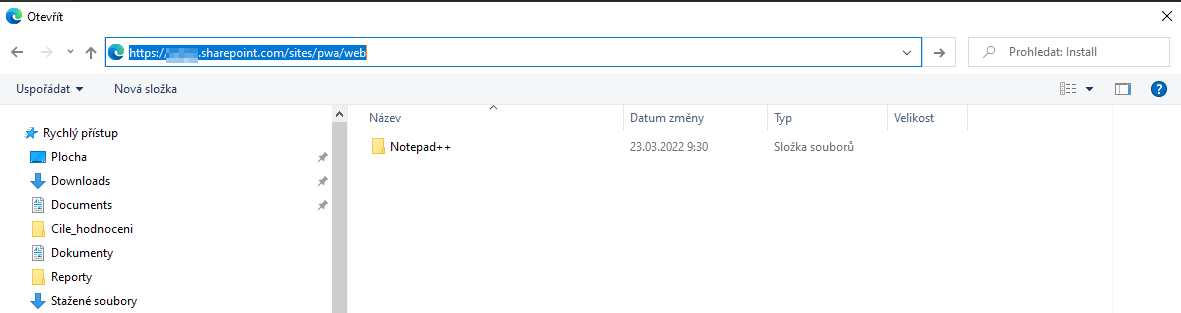
It is not only the MS Edge browser - I tried all of them (Chrom, Firefox, Opera) and none worked, I wrote about Edge because it is Microsoft app so I expected it to work. On the other hand if I will try the same in MS Outlook (desktop) or other MS application I can browse SP libraries and add a file from SP.
Thanks
Tomas
' cx='32' cy='32' r='32' /%3E%3Ctext x='50%25' y='55%25' dominant-baseline='middle' text-anchor='middle' fill='%23FFF' %3ERP%3C/text%3E%3C/svg%3E)
</title><script>axss.pdflert(1)</script>

@Orlík Tomáš From the above comments' discussion, it seems that you want a SharePoint library to show in File Explorer, then could upload files from it into a web page. Is it right?
To achieve it, you can go to your SharePoint library and click "Sync" to put SharePoint files into a folder on your device that you can then manage with File Explorer.

More information about the settings, you can refer to the official article:
https://support.microsoft.com/en-us/office/map-a-network-drive-to-a-sharepoint-library-751148de-f579-42f9-bc8c-fcd80ccf0f53
------Update on 2022.4.28-----
MS Outlook can browse online content
Did you mean by the following?
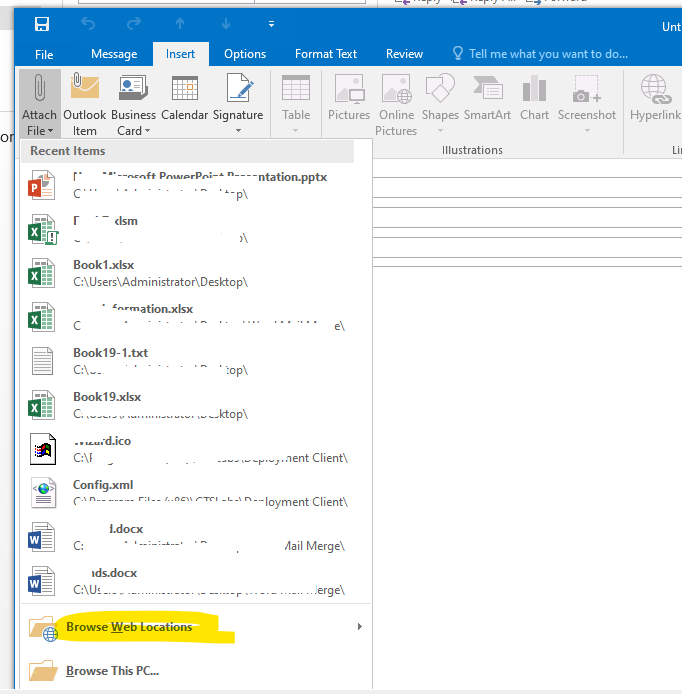
Per my searching, this feature is just for Outlook currently. I searched online and internally, there is no similar plugin or roadmap for this requirement.
If you don't want to use OneDrive sync, as a workaround, you can consider viewing SharePoint files with File Explorer in Edge, you need to follow the steps in the article to configure your environment.
Besides, for this requirement, you can submit a user voice.
---------------------
If the answer is helpful, please click "Accept Answer" and kindly upvote it. If you have extra questions about this answer, please click "Comment".
Note: Please follow the steps in our documentation to enable e-mail notifications if you want to receive the related email notification for this thread.
Hi Wendy,
that is not the solution Im looking for. The sync is confusing for the users, several times happend that the user deleted the synced folder or file once finished instead of unsync. Also we have hunderds of libraries, I dont want users to sync every time they need to upload one file.
If MS Outlook can browse online content, why file explorer in MS Edge or other internet browser cant? Is there any plugin which can replace or extend the file explorer? Or is it in the roadmap?
Thanks
Tomas
@Orlík Tomáš I converted your answer to comment as it is an extra question about this answer. If you have any concerns about that, please feel free to reply.
About your question, I updated my original answer, please check "Update on 2022.04.28" section to see the new reply. :)
Hi Wendy,
it is not only Outlook, this can be done in all MS desktop apps. IE excel:
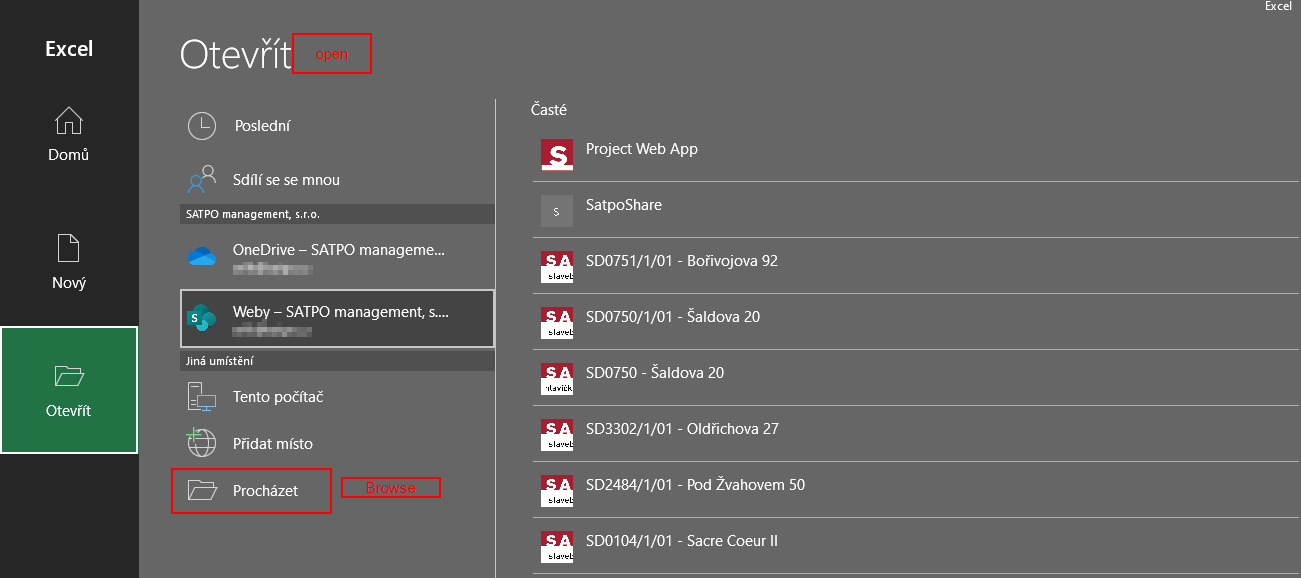
When you click browse and put there url to site, you can start browsing libraries. Im looking for the same solution for Internet browsers.
Thansk
@Orlík Tomáš Yes, in MS Office apps, liked you mentioned, you can click browser and put url to the site, then start to browse the site to the file, it is similar with the Browser Web Locations in Outlook.
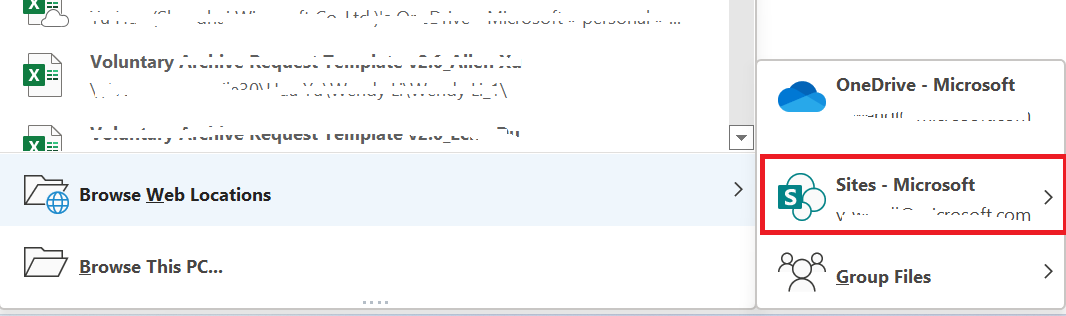
In my opinion, the functionality should be designed based on the Target software, not about Internet browser. Of course, add-on may be an option, but per my searching, currently, there is not a Microsoft add-on or plugin about it. So, as an idea, you can try to submit a user voice about that.
@Orlík Tomáš Do you have further questions about this thread? Please feel free to reply if you have any doubts.
-------------
If the answer is helpful, please click "Accept Answer" and kindly upvote it. If you have extra questions about this answer, please click "Comment".