Hi @Matthew S Coates,
Welcome to the Microsoft Q&A forum.
I would like to provide you with the following information. Please try the steps below to check whether the issue can be resolved:
- Disable all extensions/add-ons
For example: antivirus software, VPN, 1.1.1.1, etc.
- Use mobile data (4G)
Please try switching to mobile data to check whether you are able to access the application.
- Create a new Outlook profile
- Step 1: Open Control Panel
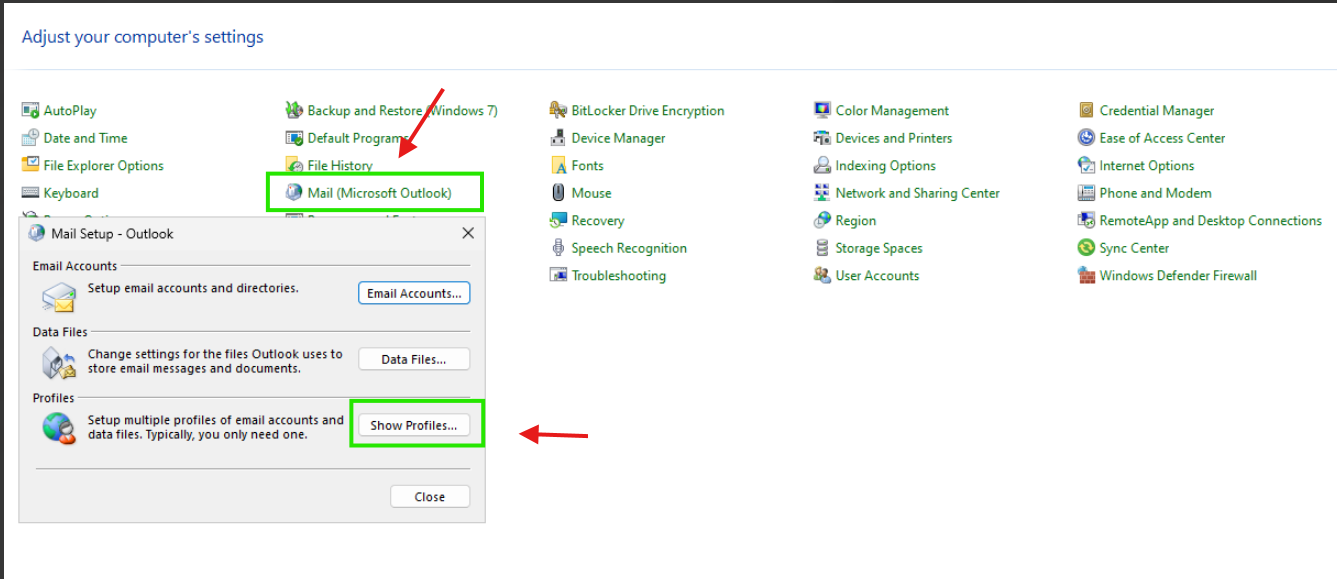
- Step 2: Select Mail (Microsoft Outlook) > Show Profiles
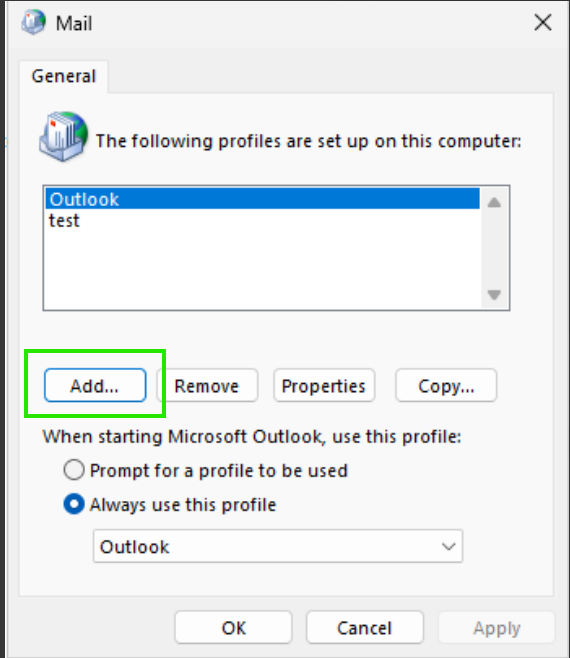
- Step 3: Click Add to create a new profile
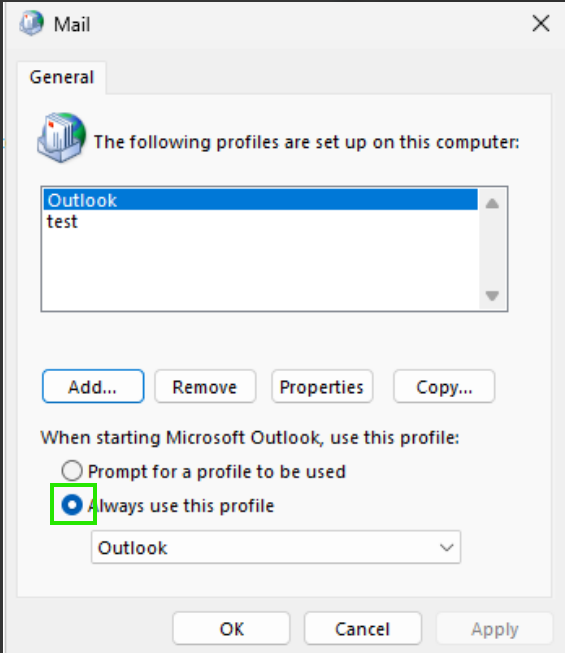
- Step 4: Select the newly created profile and check Always use this profile
If the steps above do not resolve the issue, I recommend that you open a support ticket with Microsoft Support so they can investigate the issue more thoroughly.
While waiting for a Microsoft support agent to assist you, you can temporarily use Outlook on the web to continue your work.
Steps to create a support ticket:
Note: The steps below require tenant administrator (Admin) permissions. If you do not have admin rights, please contact your organization’s IT department for assistance.
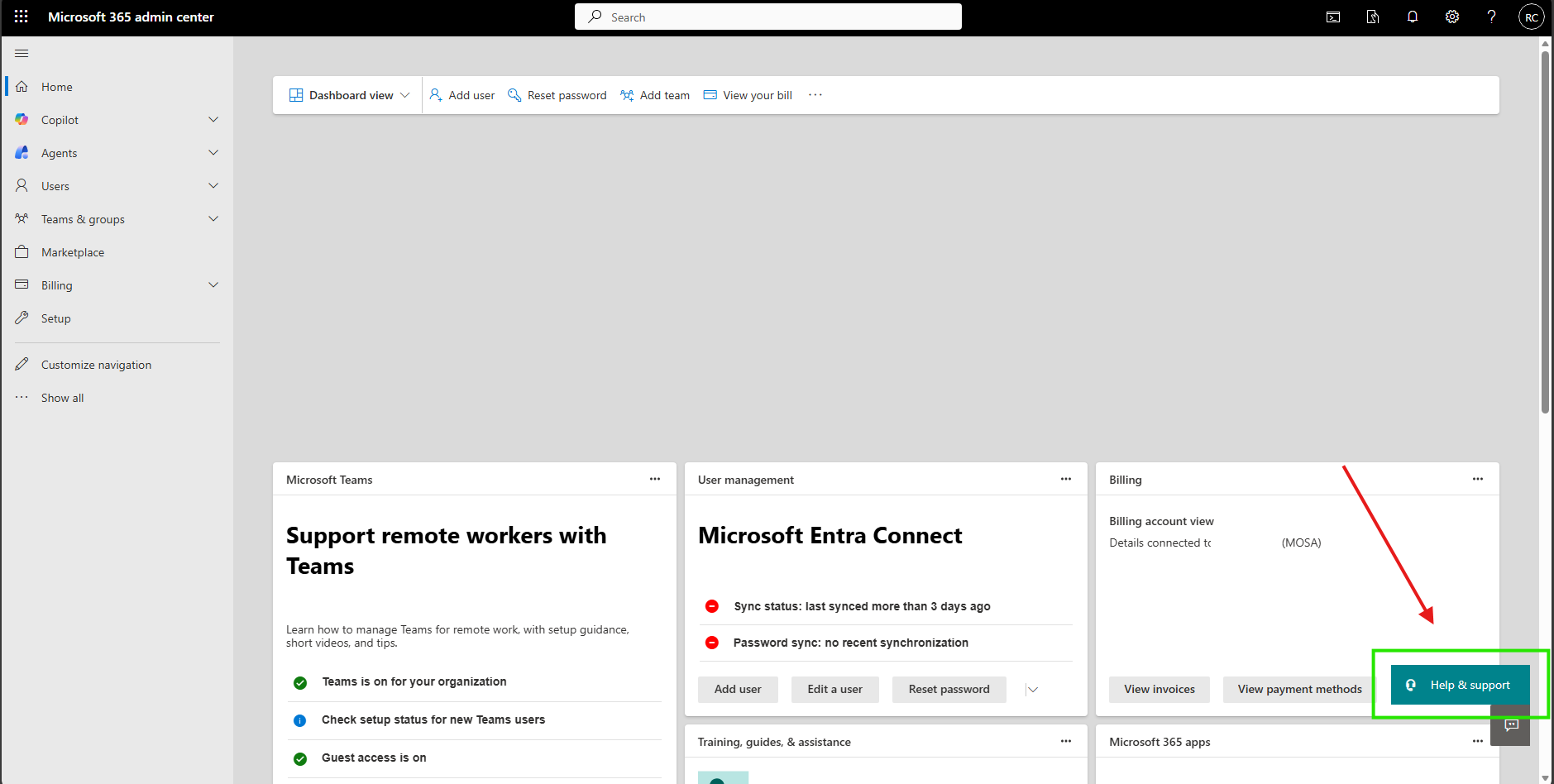
- Step 1: Go to admin.microsoft.com
- Step 2: Select Help & Support
- Step 3: Enter the title: Request support to check Outlook
- Step 4: Select Contact Support
- Step 5: Choose your preferred contact method
After the system receives the ticket and assigns it to a support agent, the agent will proactively contact you to help further investigate this issue.
I hope this information is helpful. Please follow these steps and let me know if it works for you. If not, we can work together to resolve this.
Thank you for your patience and your understanding. If you have any questions or need further assistance, please feel free to share them in the comments on this post so I can continue to support you.
I look forward to continuing the conversation.
If the answer is helpful, please click "Accept Answer" and kindly upvote it. If you have extra questions about this answer, please click "Comment".
Note: Please follow the steps in our documentation to enable e-mail notifications if you want to receive the related email notification for this thread.
' cx='32' cy='32' r='32' /%3E%3Ctext x='50%25' y='55%25' dominant-baseline='middle' text-anchor='middle' fill='%23FFF' %3EMS%3C/text%3E%3C/svg%3E)

' cx='32' cy='32' r='32' /%3E%3Ctext x='50%25' y='55%25' dominant-baseline='middle' text-anchor='middle' fill='%23FFF' %3ERN%3C/text%3E%3C/svg%3E)
